


Jul 21, 2011
Looking for Lion Apps Compatibility Info – Here’s a Good List
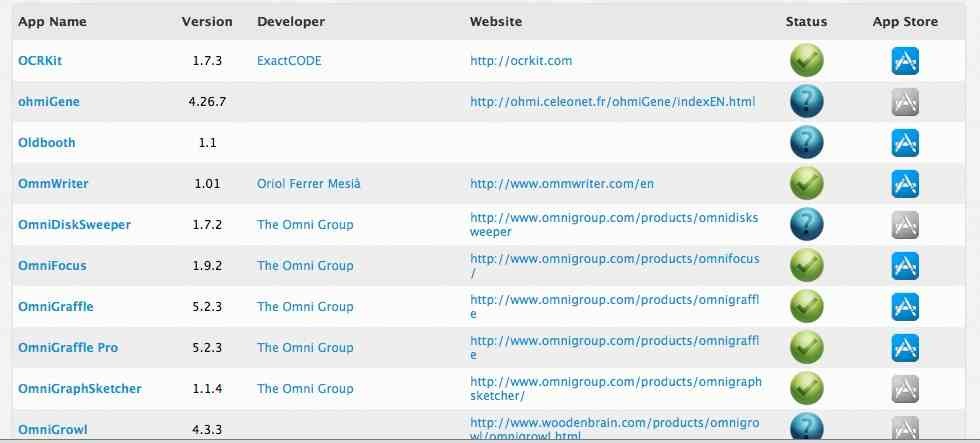
If you’re thinking about whether to update to OS X Lion right away or hold off, one of your big concerns may be apps compatibility. It’s hard to get a good running start with a new OS if some of your essential apps won’t work with it.
This is definitely a subject I’ve been thinking about for months now, and I’ve been following the status of all of my key apps (everything I’ve got in my MacBook Pro’s dock) to help me decide on how soon to upgrade to Lion. The apps compatibility list I’ve been using is this one. from Roaring Apps:
http://roaringapps.com/apps:table
It has apps organized alphabetically so it’s quite quick to find any app you’re looking for. Each app’s status is indicated with icons that are quite self-explanatory, and you’re of course looking for a green check mark for apps that are critical for you. The table is frequently updated and has helped me out a great deal. Thus far I haven’t seen an equivalent sort of resource from Apple themselves.
Up until recently, I had concerns about two essential apps: OmniFocus and Parallels Desktop – but both look good to go now.
How are things looking for you in terms of Lion and apps compatibility?
"All our Lion tips in one convenient place

While you wait for the download, here's where to see your progress.
If you wanted to do a clean install, Macworld has some info. If you want to make an installer disc, here's info on that.
Once Lion is installed:
If you find Apple's Natural Scrolling is melting your brain's muscle memory, here's how to turn it off.
Find out how to see your drive's capacity in Finder again.
Get the scoop on revamped Mail.
Learn how to use and customize Mission Control.
Full Screen apps have some hits and misses.
Some gripes about Lion, and some workarounds.
How Lion handles saving, and the new Versions implementation.
Lion and Time Machine, plus info on locked documents.
Lion Server is the least expensive OS X Server ever, and it's easier to setup than ever before.
All our Lion tips in one convenient place originally appeared on TUAW - The Unofficial Apple Weblog on Wed, 20 Jul 2011 17:50:00 EST. Please see our terms for use of feeds.
Source | Permalink | Email this | Comments"Jul 7, 2011
Bringing a digital camera on a plane kills pixels?
Below is a very interesting video from Kodak describing the way film and digital cameras capture light. Around the 8:00 min mark you can hear a thought-provoking statement that when you bring your camera on a plane over 20,000 feet, the gamma rays can actually fry some of the pixels on the sensor. This is why all major manufacturers are shipping cameras by sea and this is considered an industry secret because of the fear of lawsuits.
Posted by PhotoRumors.com
This RSS feed is copyrighted and cannot be republished in any way without permission.
Follow PhotoRumors on Facebook and Twitter.

Related posts:
- The new Kenko digital camera with interchangeable lenses prototype got lost on its way to Photokina
- Pentax Q: World’s smallest and lightest interchangeable lens digital camera
- Kenko to unveil their interchangeable lenses digital camera tomorrow (C-mount) *UPDATED*


 "
"
Jul 5, 2011


Jun 30, 2011
Which One: Olympus EP-3, EPL-3 or Pen Mini?
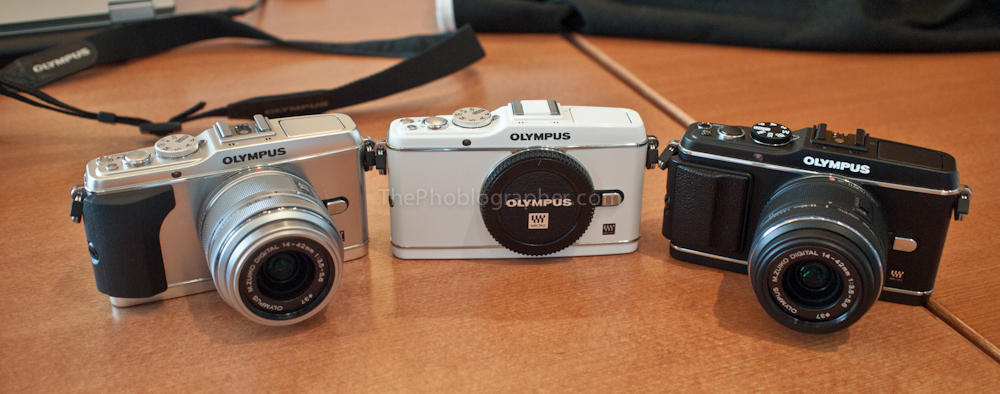
EP-3 in white, silver and black
With today’s announcement of the Olympus EP-3, EPL-3 and Pen Mini, many of you may be trying to figure out which one is right for you. Also, you may not even totally understand what’s new about these cameras and what the differences are from the predecessors. Here’s your guide to getting through all the data.
What’s New?
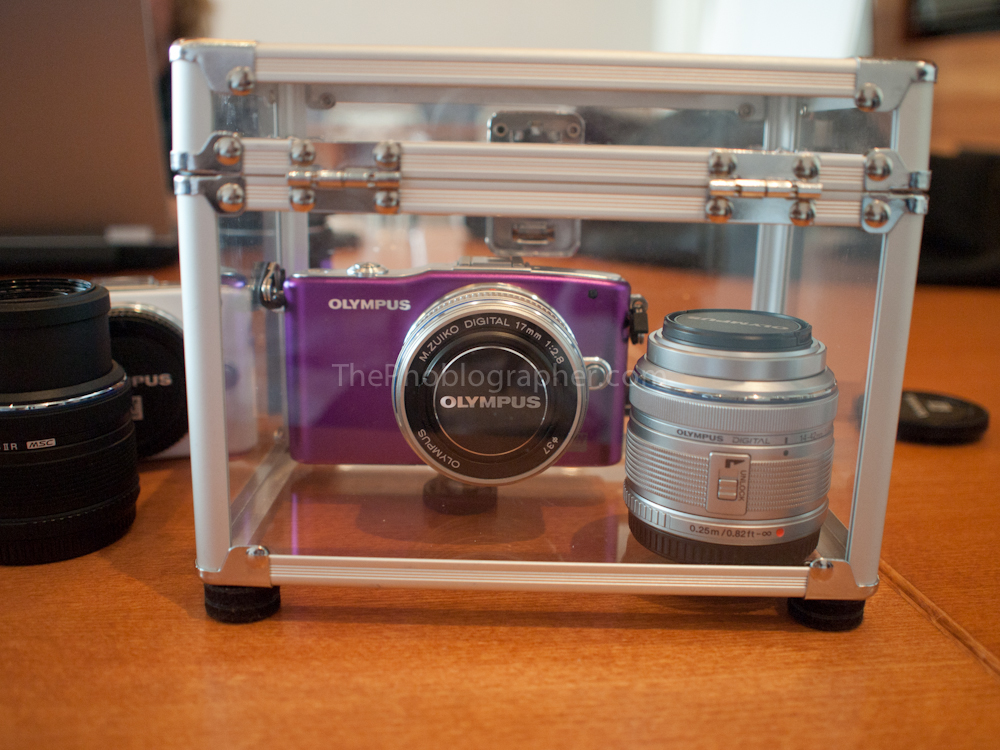
Pen Mini
- New Olympus developed 12MP sensor for better dynamic range, color depth and high ISO noise control.
- New FAST AF system, which works with the lenses, new TruPICVI processor (dual core) and the sensor to create a super fast autofocusing system.
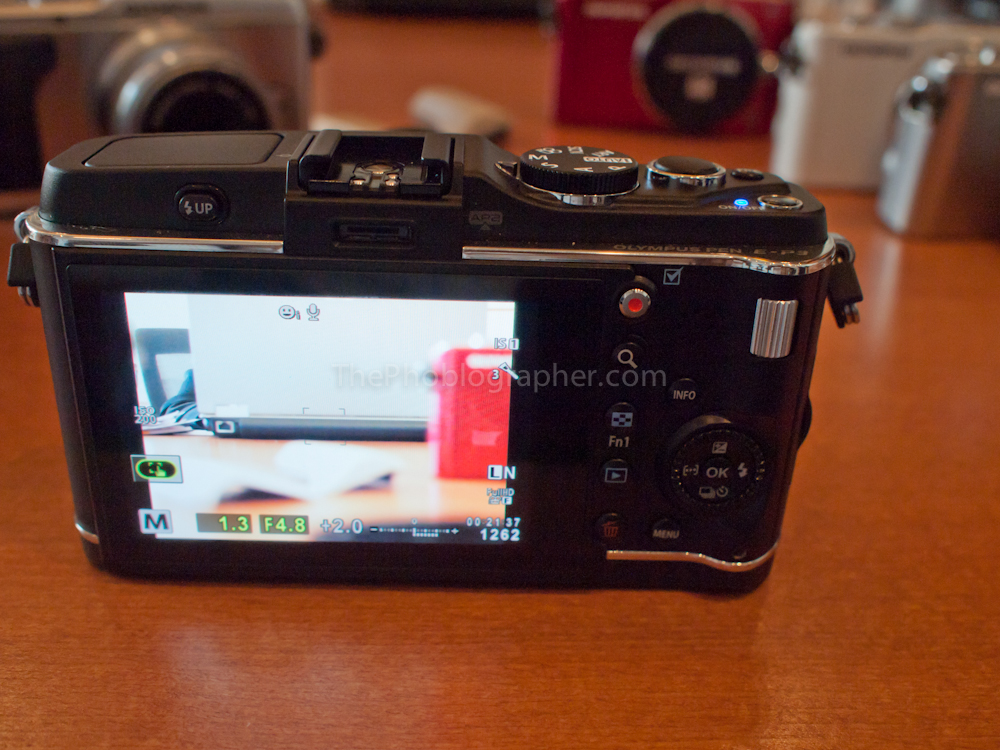
touchscreen on the EP-3
- Touchscreens on all the cameras (correction, it is only on the EP3)
- Pop-up flashes (was on the EPL-2 and EPL-1 before, but is now in the flagship series as well.)
- You can add different effects to the art filters like a white border, pinhole effect, starlight effect and more.
- Smaller size with the EPL-3 and Pen Mini
- New touchscreen interface and info layout
- New ways to take the photos besides pressing the shutter button.
- The EP-3 has more buttons, the EPL-3 has slightly less and the Pen Mini has almost none. Olympus is targeting the Pen Mini at the Sony NEX system; or at least that’s what it seems like.

The new menu system
- New menu system. It’s a bit more complicated and jam packed but I like it. If you’re wondering what each function does, all you need to do is press the info button for a description.

- The EPL-3 and Pen mini have tilting LCD screens.
- The EPL-3 and Pen mini are made of plastic, while the EP-3 has an aluminum body.
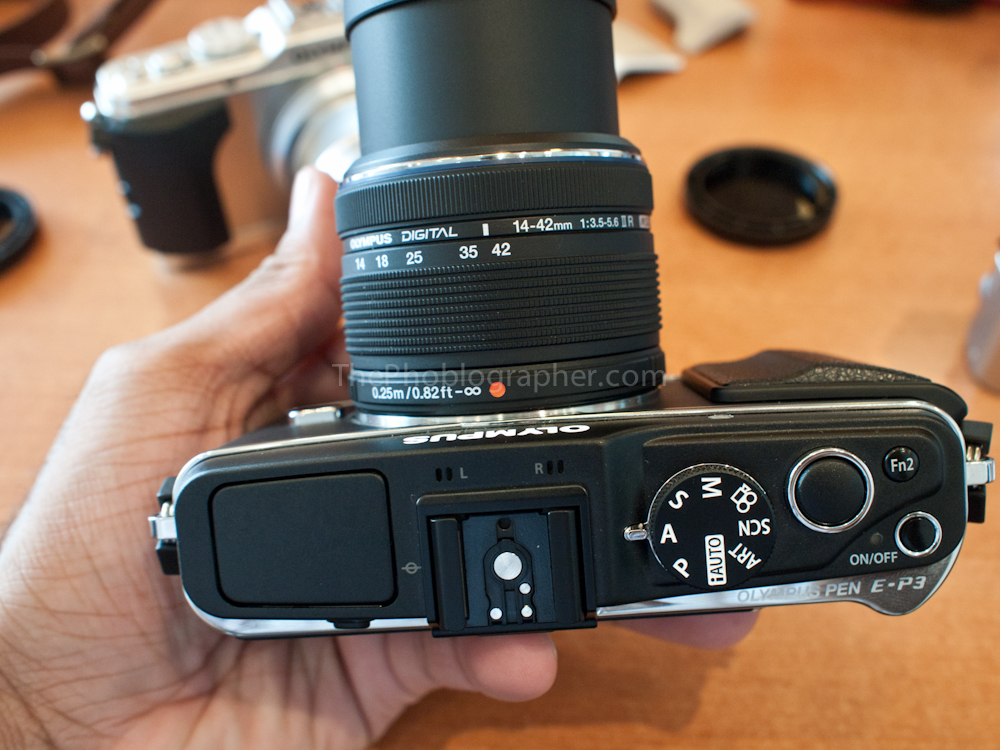
- Newly updated kit lenses that are now MSC: and will work with the new FAST AF system. The new lenses have some cool cosmetic additions like the front area that can unscrew to accept a lens hood or filter.
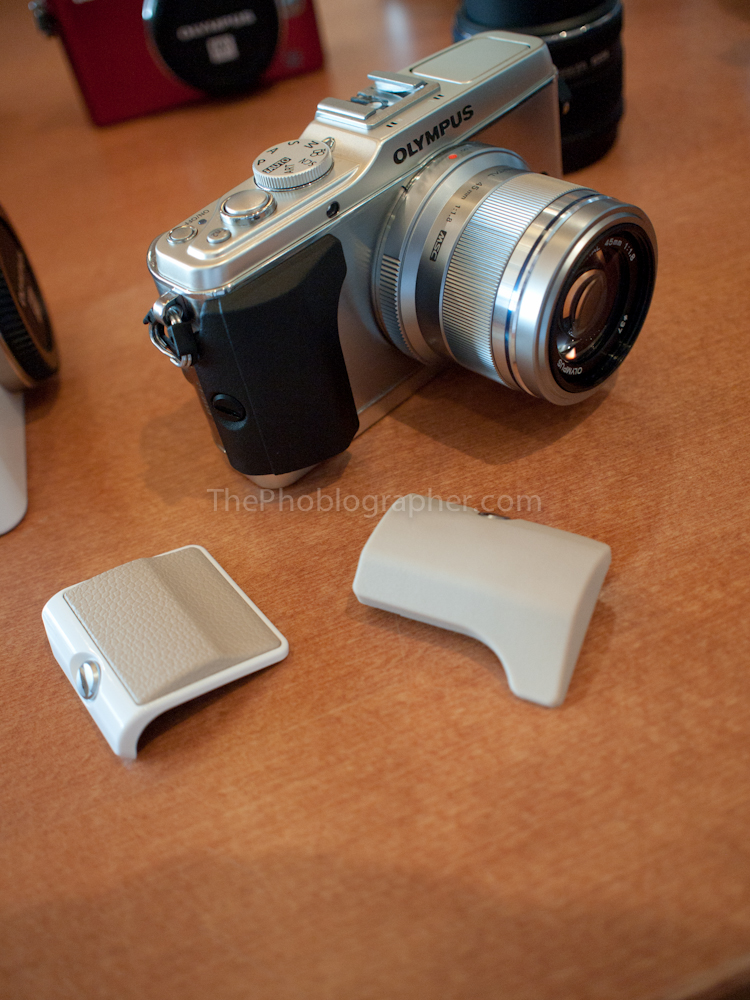
- The EP-3 has interchangeable grips.
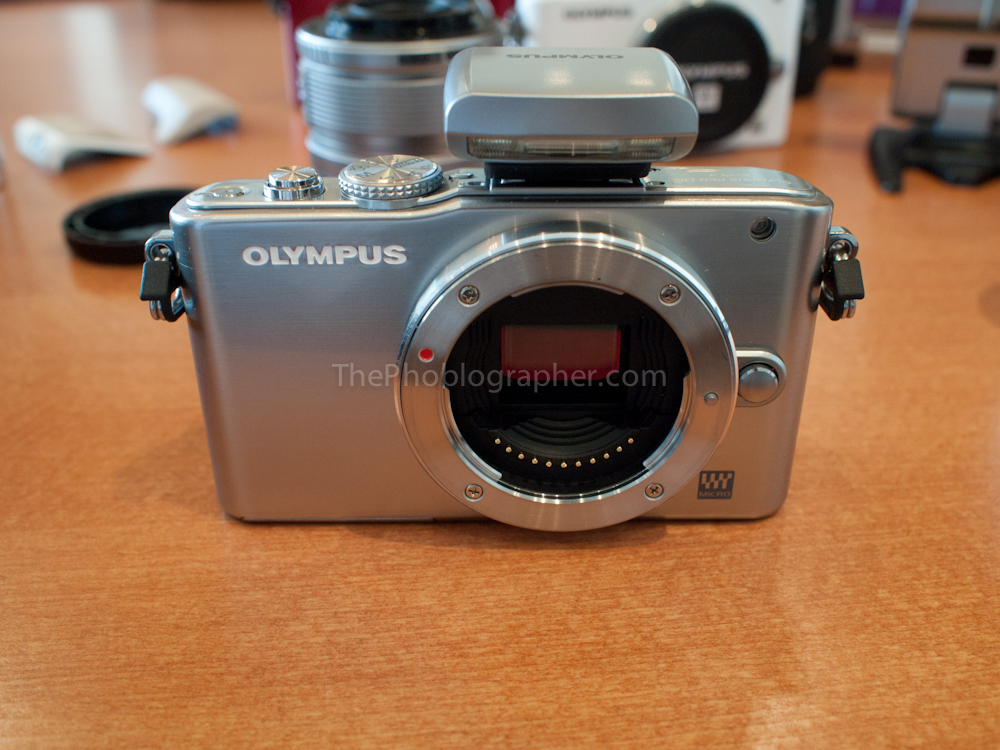
- To get the units so tiny, the EPL-3 and Pen mini have new shutter units.
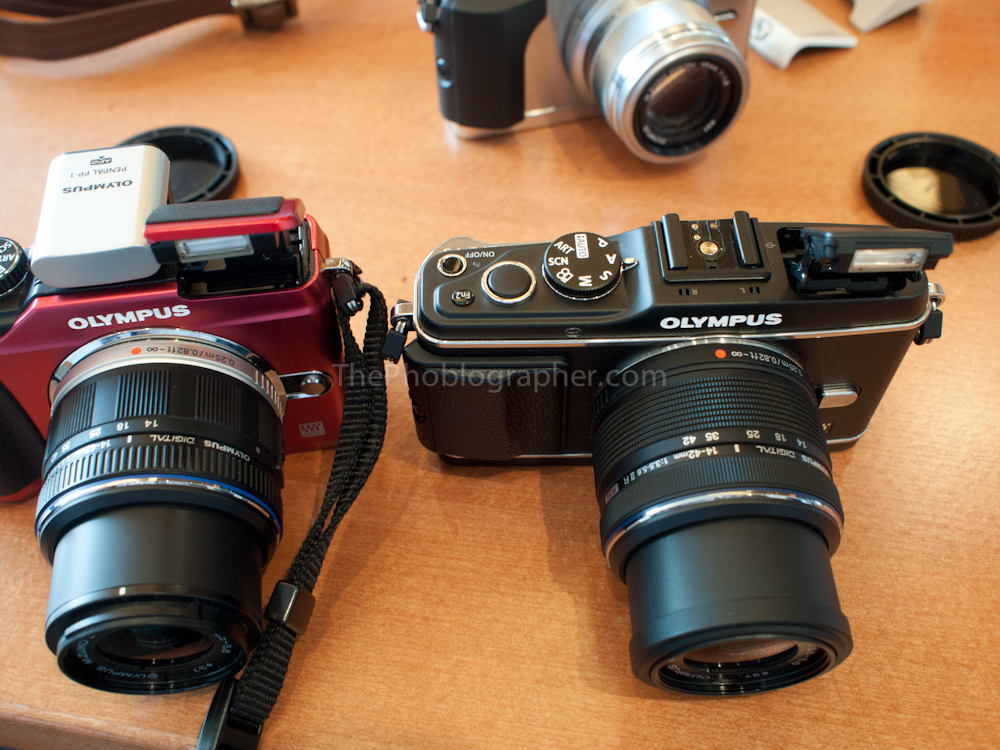
- The new pop-up flash comes out a bit further for better image quality. On the left of the above image is the EPL-2. On the right is the EP-3.
So Which One is Right for Me?
- The EP-3 is targeted more towards high end enthusiasts and professionals that want a smaller camera. Those that appreciate some extra heft will like the EP-3. Street photographers, professionals that need a smaller camera for certain projects, students, and those looking for a sexy retro-styled body will digg the EP-3.
- The EPL-3 is more targeted towards the class of people that want to learn more about photography but don’t want an SLR style body.
- The Pen Mini is for those like the soccer mom that want interchangeable lens cameras with more power but are afraid of lots of buttons and a complicated interface. Everything is made very simple with this camera.
"
